Fun with Triangles and Squares

Making the “quilt page.”

A few posts ago, I promised to share how to make the “quilt” page that looks quite complicated, but is really quite easy to make. Here are a few I have made for my books:

Materials: All you need is one 12 x 12 sheet of card stock and one 12 x 12 sheet of double-sided paper. For the first time you make this layout, it is best to have a print that is NOT one directional (e.g., no stripes, arrows or columns all in the same direction). A paper cutter is really helpful for this page but you could certainly do it with a ruler and scissors.

Here are two videos that demonstrate how to make it. The first video is by Canadian CM Advisor, Joanne Soltesz. I like how she glues things down as she goes. Click HERE to watch.

For a slightly different view, see Amy Weaver’s video. Click HERE to watch.

The Mini-cannoli Page

You can also fold small squares into a “cannoli” shape and use them to make full page layouts or borders.

I didn’t find a good video on YouTube but here is a link to Amy Weaver’s Facebook video.

If you are not on Facebook, here are my brief directions:

  1. You need a piece of 12 x 12 plain card stock and a piece of 12 x 12 two-sided print paper (I’ll call them Side A and Side B). Avoid directional prints like stripes, etc.
  2. Cut the two-sided paper into 2-inch squares…you will need 24 squares total.
  3. Sort the squares into two stacks of 12 so that you have 12 with Side A facing up and 12 with Side B print facing up. In the picture above, look at the close up on the top right. Let’s call Side A the blue side and Side B the white side with starbursts on it.
  4. Gently fold each Side A square into a triangle but don’t crease the fold. Just make a tiny soft crease in the middle.
  5. Then open up the piece and bring the points to the middle (see top right picture above). Now crease it. Your piece should look like a tiny cannoli with the tips of the shell just touching in the middle! For Side A pieces, the blue will be inside and the starbursts will be on the tiny flaps.
  6. Use a tiny strip of adhesive under each flap to hold it down. You should have 12 pieces Side A pieces.
  7. Now repeat with the Side B stack. Remember to not turn the paper over to fold it. These pieces should have the starburst paper in the middle of the cannoli and the flaps are the Side A blue paper. When you are done you should have 12 Side B pieces.
  8. To arrange them, put one Side A point in a corner of your card stock. Then alternate, being sure your points always switch from Side A paper to Side B paper. Refer to the pictures above if you are confused.

What can you do with them?

Make a full page for a 1-2 pictures, make borders and facing pages, make a cluster in the corners. Whatever you like! They are great building blocks!

What have I been doing?

I have been working on a 2015 album. I do a power layout for a 10-20 pages, then finish those pages, then going back to doing power layouts. I’ve been trying a lot of Noreen Smith’s 1-2-3 layouts…more on those in a later post!

Virtual Events on the Horizon!

Creative Memories is hosting additional Virtual Crops in the coming months: June 12-13, July 10-11, and August 14-15. For more info, follow the CM Facebook page at https://www.facebook.com/creativememories/

Disclosure: I’m using the second half of my blogs to share product info in order to reach the most people without asking non-Facebookers to join Facebook!  I am a Creative Memories Advisor and, should you place an order through my page, I earn a percentage of the sale. However, I only recommend the products that I think are really wonderful and would and do use myself.

LAST CHANCE for PLANES, TRAINS, AND AUTOMOBILES BUNDLE!

travel-scrapbook-supplies-creative-memories-659180-02

Tomorrow, May 19, is the last day to get this great bundle for $149! (And note that I have a free shipping offer below). In this pack you get…

  • All 3 Planes, Automobiles & Trains Paper Packs
  • All 3 Planes, Automobiles & Trains Sticker Packs
  • All 3 Planes, Automobiles & Trains Laser Cut Embellishment Accents
  • 1 Train Tracks Border Punch
  • 1 Embossed Locomotive Punch
  • 1 On the Road Border Maker Cartridge
  • 1 BONUS exclusive 12×12 Chocolate Traveler Album Cover, which is made of rich chocolate bookcloth and is decorated with a globe and arrow in gold-copper and copper-brown foil

NEW RELEASES TODAY!

A. Cardstock Buffet

cardstock buffet

Starting TODAY and lasting ONLY NINE DAYS – BEAUTIFUL SHIMMER CARD STOCKS PLUS NEW SPRING COLORS. Buy 6 packs (any combination) and get a free pack of Lilly Pad (green) cardstock. See the video here.

B. Little Dreamer Collection

little dreamer

Beautiful new baby materials! Soft colors…lots of sleepy stars…good for boys or girls. Two beautiful embossed albums – green with stars and white with embossed baby shoes . Be sure to check out the Tone-on-Tone papers; they would be beautiful for any album! The video link below shows you all the materials: two album covers, Fast-to-Fabulous pages, print papers, tone on tone papers, stickers, mat pack, embellishments. AND you can buy a gift box bundle with everything, including a tape runner and silver pen. These album bundles have been my “go to” baby shower gift for years! I often make some additional photo mats and borders to personalize the gift a bit.  Click HERE to watch the video!

C. Clouds Border Maker Cartridge

clouds bmc

Perfect for baby albums but also for the Airplanes, Automobiles, and Railroad materials, for Airplane punches, Mountains, etc. Anywhere you have a great horizon on your page, add some fluffy clouds!!

D. S’mores collection – let’s have a cookout!

smores

Paper pack  with earth tones: greens browns, golds, blues. Patterns include camping and outdoors as well as nice neutrals. Also a pretty pine tree album cover and coordinated stickers. NICE! Click HERE to watch the video.

E. True North Collection

canada collection

Canada, eh? How about a beautiful red album cover, woodsy paper pack and coordinating stickers? Check it out!

F. Campfire Punch

campfire punch

This will be great for campfires but also for CANDLES since the flame is a separate piece from the crossed logs (which will be good for X’s on borders). Both the punched pieces AND the negative (open) remainders will work beautifully on pages and cards. See picture below.

As always, I would welcome your order through my CM page. If you order through my page in May, you can get a shipping rebate up to $20. Contact me at  for more info. 

Be safe, be happy, and…be scrappy!

Marsha

The Best and Worst…

It was the best of times, it was the worst of times, it was the age of wisdom, it was the age of foolishness, it was the epoch of belief, it was the epoch of incredulity, it was the season of Light, it was the season of Darkness, it was the spring of hope, it was the winter of despair, we had everything before us, we had nothing before us… (Charles Dickens, A Tale of Two Cities, 1859)

You might relate a bit more to Dickens’ opening lines today than on most warm spring days. We are living through a time of worsts and bests, light and darkness, and despair and hope. I find myself swinging back and forth on a pendulum…some days cherishing my family being at home all day and getting to have lunch with my husband each day (something we have never done during the work week in 35+ years of marriage)! But part of me wants everyone to get out so I can clean my house and clean out my basement. And, yes, go out to eat…the cover photo was our last “night out” before social distancing kicked in…Chinese food and a Duck Donut! I really miss vacation, too! Cancelling our much-needed fall vacation to SC and trip to IN to visit relatives was so painful, but NOTHING compared to what so many families are dealing with in terms of finance and health. We pray every day for those who are sick but also those who take care of them, AND we pray for all who are keeping the wheels turning in our world to create and deliver food and other essentials. So every day, I’m counting my blessings: We are safe, healthy, well-fed (TOO well-fed), and financially OK. My husband and I can both do our work from home. I pray that the same is true for all of you!

Making Lemons…

lemon meringue pie

…into lemon meringue pie! I don’t like lemonade much, so I’ll make my lemons into a lovely pie! Have you used this unexpected window of time to take at least ONE step forward in preserving your memories? That could be sorting pictures, labeling groups of pictures with dates and locations, printing pictures, or even starting that album you keep meaning to get done. You don’t have to do it all at once, but even a bit of sorting can get you started. I start by sorting pictures into YEARS. If you have digital pictures, did you know that you can find out the date they were TAKEN (not the date you pulled them off your camera or phone and saved them. If you are using Windows, right click on a picture icon in your file folder, then click on the “Details” tag at the top of the menu box (see below). You will see a “date taken” date. For most pictures, that will be the date you took the picture. For older pics that have been duplicated several times, this may not be valid, but it really helps when you can’t remember if that was the 2017 or 2018 snowstorm picture!

photo details menu

How to get started? I have several blog posts below that can help…scroll down and see the titles. If you have specific questions, post a comment or ask on my Facebook page (https://www.facebook.com/MarshaScrap/). Also, check out the Creative Memories Everyday Photo Décor Kit below…you can take a single photo and make a beautiful display, complete with wooden stand, in 5 minutes!

What is new from Creative Memories?

I’m struggling to get info out on new products and resources these days…posting on Facebook AND creating email letters AND writing blog posts AND planning for virtual events is more than my schedule allows right now. So, I thought I’d share new product info as part of my blog to reach the most people without asking non-Facebookers to join Facebook! Full disclosure: I am a Creative Memories Advisor and, should you place an order through my page (listed below), I earn a percentage of the sale. However, I only recommend the products that I think are really wonderful and would and do use myself.

A Great Deal…Even without Steve Martin and John Candy!

Have you seen the new Planes, Trains, and Automobiles papers and embellishments? They are PERFECT for travel pictures (see slide show below)! And, for the next few days, you can order them as a bundle and get a FREE cover ($35+ value)! Click Planes, Trains and Automobiles collection for more details. Note…the cover will be included in the bundle as long as they have them…it is NOT a separate item. But, if you want this, do it SOON…these will not last long.

This slideshow requires JavaScript.

Mothers Day Specials!

CM rarely puts things on “sale” but for Mother’s Day, they put together some GREAT materials collections and then DISCOUNTED them! Check them out at https://www.creativememories.com/mothers-day-specials.html.

MothersDay_Flyer_0520_US

Here are some details:

  • Blend and Bloom bundle with beautiful spring colors – PAPER PACK, STICKERS, FLOWER EMBELLISHMENTS, FOAM SQUARES AND NEW DOT PEN.  All for $30
  • Remember Rainbow Rush…those amazing colors? This bundle has Rainbow Rush Bold Paper Pack and Layered Title Embellishments, plus a coordinating 8×8 Jade Album Cover and 8×8 White Refill Pages…all for $46.
  • Flourish bundle with COVER, FAST TO FAB PAGES, STICKERS, MAT PACK AND the Global Glow Recipe Template, clips and pen included! All for $69! ($86.50 value).
  • As noted above, the Everyday Photo Décor Kit includes all you need to create three photo décor cards, including pre-cut and pre-packaged die cut photo frames, additional decorative pieces and stickers, three double-sided 8×6 card bases and three wooden stands for displaying your finished masterpieces. You can either follow the super-easy instructions or mix and match the pieces to make your own. You’ll love this kit for sending photo greeting cards, giving as gifts or decorating your home or office with special photos – just create your photo card and slide it into the wooden base to display! Great gift for kids, moms, grandmothers, anyone! All for $7.50 (original $20!).

Have I used these materials…yes! Blend and Bloom, Rainbow Rush and Flourish papers and stickers are all in my albums…but I just ordered all of these except the Rainbow Rush bundle (I still have some RR materials!). And I ordered the full pack of Planes, Trains, and Automobiles. I am SET for vacay layouts!

And what does MY lemon pie look like? 

I finished one album, did a partial power layout for another and have completed a number of pages for it. Not as much as I would like and certainly not as much fun working alone, but here are some samples!

This slideshow requires JavaScript.

As always, if you are interested in materials, tools, or supplies from Creative Memories, feel free to contact me with questions and/or place an order through my page. 

Happy Scrapping Everyone! God bless!

Marsha

What is a crop & why should I go to one?

If you hang around people who create scrapbooks, you will probably hear comments about “crops”:

  • Are you going to the crop at the high school next weekend?
  • I got SO much done at Sue’s weekend crop.
  • Jean gave me the best idea for my cover page at the fire station crop.
  • I love fall…kids are back in school, pumpkin spice coffee, and Croptoberfest!

A crop is a gathering of scrapbookers where they bring their supplies, pictures, etc. and work on their scrapbooks. Why “crop”? Because they crop (trim) their pictures to put in their albums! Fall crops are often called “Croptoberfest.”

When are crops held?

Crops usually take place on weekends. Most commonly, crops are one day events; you start in the morning and scrapbook until 9 or 10 in the evening. Some last a whole weekend (Friday evening through Sunday afternoon) or even through Monday afternoon if they occur on a three-day holiday weekend. They range in size from a handful of friends to hundreds of scrappers. Larger crops may have vendors selling scrapbooking products, embossing services, and other crafts. One event that I like to attend sells homemade apple butter made by a women’s auxiliary group. Yum!

Where are they held?

Lots of locations! Schools, community centers, hotels, halls (e.g., American Legion, Elks), churches, private residences, retreat centers, etc. Crops at retreat centers and hotels may offer overnight accommodations. And, yes, there are even scrapping CRUISES! (see example)

Do you have to register in advance?

Yes, most crops want you to register in advance; this helps them plan space, food, give-aways, etc. Your registration reserves a table or workspace for you. Registration may also cover food, drinks, door prizes, and other resources. Be sure to read the registration information so you know what is included. Some crops have a tradition where each participant brings a snack to share; avoid bringing really gloppy or gooey foods.

What happens at the crop?

Most crops have lots of time for you to work on your scrapbook pages. Most have short demos or “make and take” sessions where you can try something new. Some of these may be free. Some sessions may have a fee; those usually have great materials for you to use and take with you. People also walk around and see what others are doing. There are often door prize drawings. Sometimes they will have a ticket system or bingo where you can earn small prizes (e.g., finish 2 pages, use three different papers on one page, use two punches on a page, take a walk outside, etc.).

Coffee, water, and other drinks are usually available throughout the crop. Feel free to bring your own drinks if you like. There may be snacks available as well. Some crops have meals included. For others, you can bring food or go grab lunch. At the end of the day, you will be expected to throw out your trash, pack your materials and leave the building on time. You may be asked to fold your table if you are able to do so. If the event has a “store”, you will need to pay your tab in the last hour or so of the crop.

Why should I go to a crop?

Crops are SO much fun…you learn new methods, layouts, and tools…you meet other scrapbookers and make friends…you hone your skills. Attending crops can help you leap forward in how you scrapbook. They are well worth the time and expense.

What should I take to the crop?

It is very tempting to take all your scrapbooking materials and tools to a crop. But if you over pack, you can limit how much you get done.  The best approach is to do some pre-planning. Scrapbook Wonderland has some good suggestions and I’ve listed those as well as some of my suggestions below.

  1. Develop your photos and pre-plan your pages. This doesn’t have to be perfect.  What do I mean by pre-plan? Check out Emiliee’s Paper Caper video on how to do a quick “power sort” for your pages. Plan for the number of pages you expect to do during the scrap plus 2-3 additional pages in case you get on a roll! I also take additional photos in case one just doesn’t work on a page. HOWEVER, if you don’t have time to pre-plan, you CAN use the crop as time to sort pictures, plan pages, and get ready to finish pages at home. I have friends who come to a crop with their computer and sort their digital pictures, send them to a nearby photo printer (e.g., Walmart, Walgreens, etc.), and go pick them up during the crop. THE TIME IS YOURS to use to your best advantage!
  2. Pack your equipment. Before deciding to take something big like a Cricut or a large set of punches, think about whether you are going to use that a lot at the crop. Also, call or email the person hosting the crop. They may be planning to put the same equipment out for general use. You may be able to leave them at home. Remember…you can always complete a page at home. For example, you finish a page except for a cluster of stickers that you didn’t bring with you or need to buy. Just do all that you can on the page, put a sticky note where the stickers will go, and finish that at home.
  3. Take your stack of ideas! This is a great time to take that idea book or print out copies of those layouts you thought were so pretty. Crops are a great time to make some special pages because you have time to do it.
  4. Find out if shopping will be available onsite. If so, take some cash and a checkbook. If you want to use a credit card, check with the host to make sure they will accept credit cards.
  5. Take your camera or phone/camera. Someone will do a layout you LOVE. Ask their permission to take a picture so you can use the idea in the future.

What should be on my packing list?

You will always forget something…but may be able to borrow a tool, sheet of paper, etc. from someone at the crop. Here is a list adapted from Scrapbook Wonderland:

Page components:

  • Printed Photos… develop them before the crop!
  • Memorabilia (ticket stubs, programs, certificates, etc.)
  • Scrapbook pages (If your scrapbook has pages)
  • Cardstock
  • Patterned paper you PLAN to use (not every piece you own!)
  • Embellishments you PLAN to use: brads, buttons, glitter gel, ribbon
  • Stickers or Stamps
  • Adhesives (e.g., tape runner, glue dots, foam tape, liquid adhesive, Xyron)

Cutting/measuring tools:

  • Paper Trimmer
  • Spare blade for the trimmer
  • Scissors
  • Punches, border maker, cartridges, dies, etc.
  • Ruler

Journaling tools:

  • Journaling pen(s)
  • Pencil and eraser
  • Scrap paper for sketching ideas/journaling
  • Your journal or notes you use for journaling

Other:

  • Water Bottle with a LID (do NOT spill drinks on your or others’ tables!)
  • Cushion for your seat! (Table tops are usually high…folding chairs are low and hard)
  • Cup holder? Not an essential but very handy!
  • Computer and peripherals if you are doing digital scrapbooking

Optional (depending on what you like to do):

  • Sanding/distressing tool and ink
  • Paper piercer, craft blade and mat
  • Stamping supplies: stamps you PLAN to use, inks, cleaner
  • Cricut, die cut, embossing machines, mats and tools

How can I find a crop near me?

If you are interested in longer crops (whole weekends), you can Google “scrapbooking crops near me.” You also can contact your local Creative Memories advisor; use this link to search for an Advisor in your area. Also, join neighborhood networks (e.g., Next Door or a local email exchange) so you hear about local crops. Once you find one and get on their mailing list, you learn about more. Many are done as fundraisers for schools (proms, trips, etc.) or volunteer fire stations. You can check with your schools and stations to see if they include these as fundraisers.

What about online crops?

In recent years, the idea of gathering with friends online to “crop” has gained popularity. These are usually weekend events where someone posts several challenges that you can try during the crop. For example, they post a template such as the one below (left) and say, “Use at least 2 pictures and three different papers.” When you create your page, you share the picture via email or a Facebook page (e.g., below right). At the end of the crop, winners are chosen (usually randomly) from those entries that meet the challenge criteria. The fun is sharing ideas. You get a LOT of good ideas as others post their pictures.

You are invited to a crop!

If you live near Olney, MD, I will be organizing three crops this fall/winter in October, November, January, and February. Watch this blog and my Facebook page (Marsha’s Scrappin’ Circle) for details to come. If you are NOT in the Olney area but would be interested in a virtual crop early next year, please post a reply below or watch for my poll on the Facebook page.

As always, if you are interested in materials, tools, or supplies from Creative Memories, feel free to contact me with questions and/or place an order through my page

Happy scrappin’!

Marsha

Fold-over layouts: Ten minutes to “Amazing!”

It’s been a LONG time since I’ve had time to write a new blog entry. I’ve been busy upgrading my scrapbooking equipment, writing proposals for a series of Friday/Saturday scraps, and learning new techniques to share. But I’m back…and in this entry, I’ll share a series of layouts you can do without cutting a single piece of paper. They are called ”fold-over” layouts and are both eye-popping and fast!

Every sheet of paper has two sides

The beauty of a fold-over layout is in its simplicity. For most, you only need TWO sheets of paper and NO cutting instruments (no scissors or paper cutter).

Here is a really easy one! All you need is one sheet of background paper (or even just your scrapbook page) and one sheet of two-sided paper (e.g., paper that has two different prints, one on each side). For this layout, I took one piece of purple card stock for my base (below left) and one sheet of patterned two-sided paper with a blue floral pattern on one side and purple dots on the other side (I’ll call it the “patterned paper” from now on).

I laid my patterned paper flower-side up and folded over about 3 inches to show a three-inch flap of the dotted side (above right and below left). I positioned the folded patterned paper on the purple card stock in the middle or a little to one side. To hold the flap down, I either use a little adhesive (below left) or a decorative border (below right).

Now I have a nice base to add pictures (with or without mats), stick-on title, and stick-on embellishments, as desired. From start to finish, this page took less than 10 minutes…and I didn’t need to cut a single piece of paper!

What else can I do with that layout?

There are SO many options for fold-over layouts. I recently attended the Mid-Atlantic Mega Crop (GREAT weekend!). One Advisor took a couple of packets of the Rainbow Rush papers from Creative Memories and made as many different fold-over layouts as she could with a pack of paper. Imagine your pictures of summer outings, birthdays, prom, or graduation on these pages. Pretty! Here (below) is a sampling of two-page layouts she came up with using the simple folding technique I showed you above. What do you think?

This slideshow requires JavaScript.

Show me more!

Will do! Here is another quick fold-over technique. For this one, you don’t even need two-sided paper! Select one background paper sheet (card stock or patterned paper) and one piece of patterned paper. Stack the patterned paper on top of the background paper/card stock. Now flip the stack over, and lay the pages upside down on a table. Pivot the BOTTOM piece 90 degrees so the corners of the bottom sheet stick out from middle of each side of the top sheet. Now fold each of those points over the background paper (see picture on left below). Use adhesive to secure them.

Flip the page over and smooth it down. Your page should look like the picture on the right above! Add photos, a title and a little embellishment. Voila! Another 10-minute page!

Diagonal fold-over 3

What else can I do with that layout?

At the Mid-Atlantic Mega Crop one advisor made three layouts using the same technique with the new Creative Memories Memoirs and Memories Collection (see below).  Sometimes she folded the patterned paper points UP so they are on the front of the page rather than the back. Here’s a sampling of what she came up with…what do you think?

This slideshow requires JavaScript.

Do I have to make 12 x 12 pages?

No! Try this technique with your 8×8 or 8×10 album. Or use it to make a special occasion card. Or create a special “mat” for a picture, tuck it into a simple frame and hang it or set it on an easel in the front hall. I promise you will get compliments!

Next time: A special fold-over 

Check out THIS picture. This is a fold-over page that ALSO takes about 10 minutes. It requires cutting your paper into squares and then triangles. A few folds and some adhesive and you are done. I’ll share the details next time.

IMG_3948~photo

Again, many thanks to the Mid-Atlantic Mega Crop team for all the great ideas! Also, a shout out to my scrapping buddy, Geri, who trekked to the crop with me and to new friends we met at the event.

And, as always, if you want to order some of the beautiful two-sided papers from Creative Memories, please feel free to use my link:

Keep on scrappin’!

Marsha

Make your point with photo mats

Now that you have an idea of how to crop pictures, use templates and pocket pages, keep journal notes, and organize an album, you need just two more scrapbooking techniques and your basic toolkit is ready to scrap away!  Those techniques are matting and journaling. Today, I’m going to hook you up with some great videos that show different ways to mat photos. They all work well and you can try them all…then pick the one you like best.

Why mat your pictures?

The main reasons are

  • To make your picture the focus of the page and bring the viewer’s eye to the picture
  • To distinguish your picture from patterned background; and
  • To allow you to give depth to the overall page.

Let’s look at some examples. You’ve seen these before, but let’s look at how the matting affects how you look at the page.

IMG_2388

In this example, the blue border and orange title bring your eye directly to the picture while the “fishies” swim around the edge.


solar eclipseIn this example, the yellow border distinguishes the photos from the bright dotted background. Even the title benefits from matting here…imagine how lost the word “solar” would be  if it were floating on that bright dotted background!


img_9814photo-e1556481570766.jpgIn this example, the multiple mats bring the pictures out of the page. Note that three narrow pictures are matted on the same mats, suggesting a sequence from left to right. I mounted the matted pictures on an angle to help promote the idea of motion from one picture to the next.


IMG_2311(Edited)Similarly, the three pictures on this page were matted an overlapped. This gives your eye a line to follow (from top left to bottom right) AND the black mats keep the three pictures distinct from each other.


Should mats be solid paper, solid card stock, or patterned paper?

All three can be used for mats as long as they are acid-free and lignin free. However, when using patterned paper to mat pictures, be sure the pattern doesn’t overwhelm the picture.

joe-is-22.jpgFor example, on this birthday page, I used the same yellow dotted paper for the title bar and to mat the pictures. If these were not closeups of faces, I would not have used such strong patterned papers all around them. Imagine if those pictures were long shots of kids on a playground or a teen on stage in a play…the picture could easily be “outdone” by the surrounding papers and mat! The great news is you can try it before you cut mats and use adhesive. Just lay the picture on the proposed mat paper, step back and take a look to see if the picture is enhanced or diminished by the matting paper.

Can you mat things other than pictures?

Yes! Look above at the SOLAR page…see the matted strip of flags at the bottom of the page? The black mat makes the flags stand out away from the background paper. In the birthday page above, the gift in the top right corner is matted, again to distinguish it from the background.

In the example below, I matted the border vine, double matted three stickers, and matted the title. Similarly, on the “Fish and Chips” page above, I matted the title.  A fellow scrapper, Erin, taught me another trick. Sometimes you end up with a “hole” on your page. You don’t have another picture to add, your embellishments/borders don’t fit there…you just have a “hole” and the page looks unbalanced. Erin uses a layered mat (2-3 layers of solid and patterned paper) as a focal point, just as if there were a matted picture in that spot. Try it sometime! It works!

IMG_2309(Edited)

How do you mat a photo?

If you are using 4×6 photos and matting paper that is square or rectangular, matting a picture is very easy. Here are three short videos and a page showing three different techniques for cutting a mat for your photo. These demonstrate use of a paper cutter BUT remember you can do the same thing with a ruler, pencil, and sharp pair of scissors (see my previous blog entry for description of how AND for paper cutter examples).

Can you mat a picture cut in other shapes?

Yes, but it gets a little trickier. If you are using a jar, bottle, or bowl to draw a circle and cut your picture in a circle shape, you need to have another jar or bottle that is 1/8 to ½ in. larger diameter to draw the mat. Of course, it’s easier if you have a circle cutter or set of circle cutters and templates. You can get circles, ovals, diamonds and other shapes. Here are some examples:

Do you need to mat every picture?

No. You mat a picture for the three reasons above. Note that a mat will not protect your scrapbook from materials that are not acid-free. For example, you might have brochures, ticket stubs, theater programs, etc. that you want to include in your scrapbook. Just matting them does not provide full protection from any acid or lignin these may contain. The best solution is to use a protective envelope (such as Keepsake Envelopes) that will stick on your page (or to the mat you put behind it!). I do not use these regularly but I try to be careful to not put memorabilia on top of or touch pictures.

Hope that this gives you some ideas about matting your pictures!

Happy scrapping!

Marsha

Note: As always, I am sharing some products and links in this blog entry. I do not receive promotional consideration from any of the linked sources. I am a Creative Memories consultant but do not receive promotional consideration for including links in my articles…I am sharing products that I have found useful. If you are looking for a Creative Memories consultant, please feel free to access my page here.

Using Templates

One of the nice things about scrapbookers is that they LOVE to share their work. And, consequently, they share templates for other scrapbookers to make a similar page! For example, this weekend is Easter and, if you celebrate this holiday, you might take some pictures of kids or grandkids on an Easter egg hunt, digging through an Easter basket, or wearing Easter outfits. Now you want to put those prints into an album…how can you lay them out so they will be pretty and make you think “Easter!” when you look at the page?

One great source of ideas is Pinterest.com. If you search “Easter scrapbook layouts,” you will find a wealth of ideas! Take a look!

Some layouts are rather complicated and, if you are just getting started, you may think, “How do I DO that page? Where do I start?”


This is where using a project template can be really helpful. Project templates break a page down into simpler pieces, helping you to create progressively more intricate and complicated pages.  Let’s look at an example:scrapbook template samplehttps://www.pinterest.com/pin/305681893452099138/

This layout by Kelly Holifield (Thanks, Kelly!) uses four different printed papers (green, yellow, pink and purple dotted paper) and one plain paper (the light purple). It displays three pictures in vertical format, and a few Easter stickers (eggs and bird).

Let’s break it down. To do a similar page, you need:

  • 4 strips of paper, about 1 ¼ or 1 ½ inches wide, and 12 inches long. If you are not sure how to measure and cut strips of scrapbooking paper, see my earlier blog.
  • They can be a mix of patterned and plain paper…whatever YOU like! They don’t all have to be different but I would try to have at least two different patterns or colors. So you need at least 2-3 sheets of 12 x 12 pattered or plain paper
  • 1 strip of paper about 11 inches long and 2 inches wide (the pink dotted rectangle in the sample)
  • 1 strip of paper about 10 inches long and 3.5 to 4 inches wide (the yellow dotted rectangle in the sample)
  • 1 circle of paper about 7-8 inches across (don’t have a circle cutter? See below) Want to make it a little more “Easter-eggy”? Cut it as a fat oval to be more egg-shaped.
  • A couple of stickers (optional)
  • A sheet of background paper or your scrapbook page
  • Adhesive to attach the paper and pictures to the page
  • An acid-free pen to write a title and journal

How do you assemble a page like this?

  • Always lay it out FIRST before you attach anything!
  • Work from the back to the front in laying out the pieces. In this case
    • Layout the four long strips in the back
    • Add the circle
    • Add the large (yellow dot) rectangle
    • Add the pink rectangle
    • Add the photos

This layout has some really good features for the beginner:

  • The first long strip, the yellow rectangle, pink rectangle and circle are all right justified, that is they touch the right hand border. This makes lining them up much easier.
  • Note that the circle touches both the right side and the top…easy layout!
  • It does not require tools other than those for basic measuring and cutting. The biggest challenge is cutting a circle. Use a bowl, lid, or bottle as a guide to draw a circle. There also are circle cutters that you can use for pictures or paper. I  use the Creative Memories Circle Custom Cutting System Patterns but there are lots of circle cutters (see Amazon search!)

Now LOOK at your layout.

  • Do you like it?
  • Do you want a little more or less space between the four strips?
  • Is there room for the title?
  • Is there room for the journaling (if not…consider cutting that circle across the middle and pulling the two halves apart a bit…the yellow dot rectangle will cover it!)
  • Do you like the order of the your pictures left to right?
  • Do you like the pictures tilted?

Once you have it the way you want it, you can use a No. 2 pencil to make a small dot where you want the four strips to be, where you want the yellow and pink rectangles to be, etc. Mark lightly so you can use your white eraser to remove the mark when you are done.

Remove each piece and then start using the adhesive. Again, start at the back and add layers. When you are done with the adhesive, you can add your title, journaling and stickers. Presto! You just made a great layout using a template. AND you can the idea over and over! This would be a great layout for Halloween, a birthday, Christmas, Thanksgiving, or any other event. For Spring, think pastels. For fall, think browns, tans, and rusts. For Winter, think blues and grays or reds and greens. For Summer, intense colors like deep pinks, blues, greens, reds, oranges, etc.

Many times you will see templates offered as a black and white drawing. For example look at this sample template from the Creative Memories blog :storytime_layout3_sketch-2https://blog.creativememories.com/2019/04/14/weekly-sketch-round-up-april-8-12/#more-40615 

What do you see?

  •  This appears to be a square layout, probably 12 x 12
  • Two 4 x 6 photos
  •  Two large squares of paper serving as background.
  • Some little paper strips for highlight.

But what are all those flowers, circles and asterisks? Am I supposed to cut out all of those?

No! You will often see clusters of flower shaped figures on a template. You may see stars or circles. These “clusters” tell you where the creator of the layout thought embellishments like stickers or sayings should be placed. WHAT those embellishments are is up to YOU! So, for Halloween, you might have pumpkins, apples, ghosts, etc. For a snowball fight, snowflakes. You get the idea. Don’t be thrown by the “flower cluster!”

Last week, Creative Memories hosted the first Worldwide Virtual Crop and sent out 12 different challenges (templates). People came up with HUNDREDS of ways to use them. Here is my take on Challenge #4. Note that I followed the general idea: 2 vertical pics, three circles across the middle, title and bottom border, and an embellishment on the top right corner. But I added another wide pic and moved the title up and didn’t have any embellishment on the upper left corner.

Important: Think about the number of pictures you want on a page and their orientation.

Trying to use a template where your pictures are VASTLY different from the orientation and size on the template makes it hard (but not impossible) to use the template. Remember that the point is sharing your pictures…not replicating a template!

Now it’s YOUR turn:

Challenge #12 is straightforward, uses three pictures, and 3-4 colors of paper. The embellishments are up to you! See the link below and scroll down for a couple of ideas (remembering that these were done by CM consultants so they put quite a bit into them!).

Challenge on!

https://blog.creativememories.com/2019/04/13/worldwide-virtual-crop-2019-challenge-12/

Comment and share your finished products!

Happy Scrapping!

Marsha


Organizing Your Album

It doesn’t seem like it would be a big issue. You make an album. You add some pictures. You journal, add some embellishments (stickers, borders, mats for the pictures). Done!

The BIG Debate

There is, however, an ongoing discussion among scrapbookers:

“How do you organize your albums?”

Last week, there was another discussion on the Creative Memories Advisers discussion board on the same topic. Yep, the folks who do this for a living don’t all agree! Why is this hard? You add them in chronological order and – Voila! – you are done! Well…not quite. There are some reasons that doing only an annual album can cause some problems.

Major events don’t always fit in an annual scrapbook

You wouldn’t just tuck a few pictures of your formal wedding into your 2018 scrapbook, right? Similarly, if you went on your dream vacation to Paris (or whichever place fills YOUR dreams), those pictures would probably overwhelm the three pictures of the Mother’s Day breakfast your kids cooked and the selfies you took when you went to a concert with friends. Many scrapbookers do separate albums for major events when there are a LOT of pictures they want to include in their scrapbooks on a single event. Examples include weddings, graduation, 25th or 50th wedding anniversaries, baby books, retirement events, and major vacations…essentially any event that can fill or nearly fill a scrapbook.

Major event albums don’t cover the “times of your life”

If you only do scrapbooks of major events, you end up with a lot of important pictures that don’t fit. What do you do with that last wonderful picture of you and your grandmother on the day you stopped by to bring her some groceries? You don’t have enough pictures to do a whole album unless you are doing a whole album on Grandma.  And what about those two great shots of the kids covered in cookie dough and flour? Or that precious picture of the dog looking guilty after he ate the tomatoes off the counter?  And that cute selfie of you and your sweetheart at dinner. Those have GOT to be in your book. You can post them on Facebook or Instagram but that is not preserving them, as we have discussed before.

Here is my solution…but it’s not the only one!

I do an annual album (Jan-Dec) and make separate albums for major events such as big vacations, graduations, and weddings. Do I keep EVERY item in chronological order? Mostly, but not compulsively. I have tried to relax about having everything in exact chronological order, but I DO put the month and date on each page or group of pages. What about those major events like weddings or graduation? I usually put a key picture or two into my annual album so I capture when the event happened in our family history. I have friends who do things differently, with a birthday album for each child with a couple of pages devoted to each birthday. Some do albums about their parents and others do an album for each child. Some do ONE album and make digital prints for each child. Consider what you want to preserve, how much detail you want to keep, and who will be the lucky recipient of those albums when you are gone. Then pick a strategy and get scrappin’!

A Great Opening

When you open a published book, there is always important info up front about the author, publisher, place of publication. In recent years, I have started filling in the signature block on the inside cover of my albums. After all, it’s my work!

Next, I include an album cover page so the reader knows something about the album. I have not done so, but it would be nice to have a standard piece of text on your cover page, e.g., “This album is part of the Smith-Wilson family history, Laurel, MD.” I always include the date. The cover page design (see slideshow below) is always tough for me. I do it last, as I’m finishing the album.  Sometimes I try to sum up the entire year…other times, I just give it a label. I did ONE collage in 1999…took a LOT of time and a LOT of pictures to make it look right. In 2008, I did a page of pics and headlines to highlight the year (see below). In 2015, I was inspired by the stickers and papers in a packet.


This slideshow requires JavaScript.


Wrapping it up.

In my albums, the closing page usually follows Christmas photos. In recent years I have added our annual Christmas letter that goes into our Christmas cards as a closing page of the album. It usually sums up the highlights nicely!

IMG_0129

It takes a village…

I also have started adding notes or pictures on where I was when I made the scrapbook. If I was at a retreat, I take pics of my fellow scrappers. They all offer advice and inspiration so it’s only fair to acknowledge their help! And it’s fun later to remember when and when I scrapped the book!


Don’t get bogged down in the details!

Having said all of this, don’t let planning and organizing get in the way of DOING your album. Pages can be added and rearranged. Cover pages can be an afterthought. Just make that initial decision about what kind of album THIS will be and get scrappin’!

Do YOU do an annual album? What do you include? Please share your tricks or examples!

Happy Scrappin’!

Marsha

The Paper Trail – Where Does it Lead?

One of the tough parts about any hobby is figuring out what to do with your equipment and supplies. In this blog, I’ve been discussing how to scrap without buying a lot of supplies at once. But the supplies you HAVE to have, and in some quantities, are

  • Photos
  • Scrapbook pages
  • Scrapbook paper

Today, I’ll share some of my simple solutions for storing these items safely so you can easily access them for scrapbooking. Please note that I do not work for or receive any compensation from any of these companies. I’m simply sharing what I’ve found that works for me.

Photos

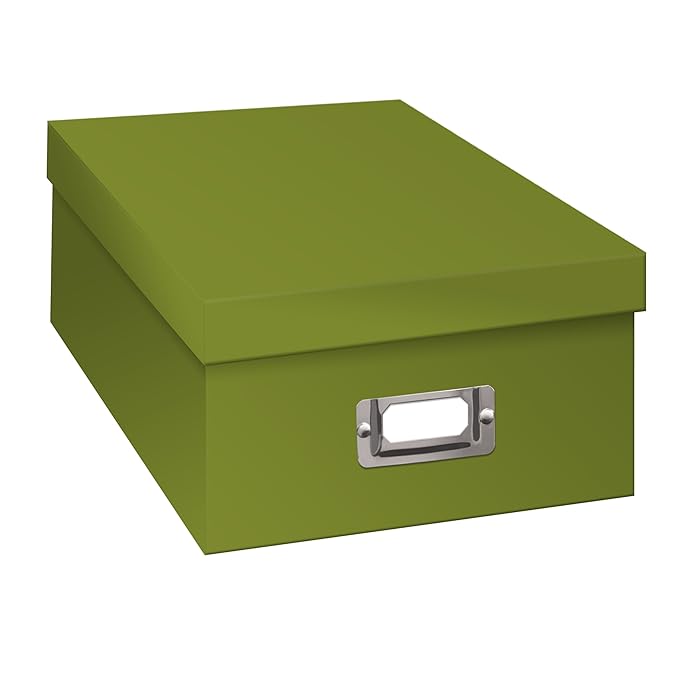
My absolute “go to” for photo storage are cardboard photo boxes. You can get them Pioneer Photo Storage Boxes, Holds Over 1,100 Photos Up To 4-6 Inches Photo Album-Sage GreenANYWHERE: Michaels, Amazon, Target, Jo-Ann Fabrics, Container Store, Walmart, etc. Be sure they say “acid free.” You can get them in an array of colors and patterns so have fun with that! And the great part is you can use them for lots of things: photos, memorabilia, embellishments (stickers, etc.), supplies, etc. They stack nicely, have a labeling slot so you can re-label them easily. You can use them over and over each year or project. Or you can store pictures in them for long term storage. My only warning is to NEVER, EVER pay full price for these. They go on sale regularly. I usually get them at Michaels for $2 on sale; they are regularly $6-8 each. 

There are other photo organizing options such as plastic bins, but I am happy with my cardboard boxes. They are acid-free and protect my photos from light. I fill them with heavy pictures and have never had one break, crack, or buckle. And I figure the world has enough plastic already so I’ll use cardboard where I can.

Scrapbooking Paper and Pages

This is where storage options get a little tougher. If you make 12 x 12 albums, both items are “oversized” for nearly all office storage boxes (which are made for letter size or legal size), so you need a storage box or bin designed for scrapbooking. Fortunately, there are some reasonable options.

The shipping box: If you order materials from Creative Memories, Scrapbooking.com, Amazon, Echo Park or some other vendor and are lucky enough to receive a box that perfectly holds 12 x 12-inch items, keep it! It can serve you as an organizer or storage box for your materials when you are starting out. I would worry about long term storage. Nothing says the cardboard is acid-free so think of these as temporary housing.

IMG_2466

Clear plastic cases: OK, I said the world has enough plastic but these are NOT throwaways. In fact, I’ve never had one break in 20+ years of scrapbooking and I use the same ones over and over. These hold scrapbook pages, paper, embellishments, etc. without bending. Note that for some scrapbook pages you may need to turn them 90 degrees…the inside is not completely square.

I also use them to store memorabilia, journaling notes, etc. for each year until I have the album done.

Like photo boxes, I always buy them on sale, usually for $4 or less at Michaels.

classroom-construction-paper-storage\


Shelves for paper: These are very handy, but they are not my favorite. Unless you build a cover for them, they are open to dust and light. But they are very easy to use, come in an array of styles and prices, and you can usually stack them to increase your storage options.

Next steps?

When you collect more items than are easily handled by a couple of boxes and bins, here are some easy expansions…and some down-the-road dream products.

iris 6 drawer cartAn Iris 6-case scrapbook cart: One of my first storage purchases! I had a box for scrapbook pages, one each for patterned and plain papers, one for stickers/embellishments, one for 8.5 x 11 paper, and one for the project I was working on. And it was on wheels! I have rolled it all over the house and into many scrapbook weekend events. It is moderately sturdy but needs a little TLC since I fill those boxes with heavy paper. Standard price is about  $34 but you can often find them on sale at Target, Michaels, Walmart, etc.

The downside? Because the drawers are clear, the cart doesn’t protect paper from light damage. But I came up with a fix for that. I folded an inexpensive light-blocking curtain panel lengthwise and stitched along the fold (not a sewing person? Hot glue gun or Stitch Witchery would work fine). Then I used some Velcro strips to make my “wrap skirt” stick to the rim. Voila! A light protective wrap that easily opens when I want to use the drawers! Cost: About $10.

A lateral filing cabinet: I called a used office furniture shop to see if they had a used two-drawer lateral filing cabinet. If I bought it new? $400+ but used was $100. And it holds ALL my scrapbooking supplies and equipment. Hooray! Even better, it gave me more surface area to spread out when I’m scrapping! If you get one, be sure to measure the inside drawers to make sure they are 14 inches deep.

Down-the-Road Dream Products

Bookcase with adjustable shelves: Again, try a used office furniture store. New $129 but you may score one for half of that if buying used. Great for storing your albums, photo boxes, etc.

IMG_2319

ScrapRack: This was my Christmas wish a few years back that Santa Hubby made come true! It is a flip rack for your paper, embellishments, etc. I love, love, love it. But it DOES take space. I put it on top of my filing cabinet. And how do I protect that paper from light? I use the other light-blocking curtain panel left over from my cart wrap to drape over my paper when I’m not using it. You can find ScrapRacks at Totally Tiffany.

IMG_2317

I must also comment that the Totally Tiffany folks are wonderful at customer service. I lost a connector piece at one point. I called to ask how to order it and they sent me one for free. Years later one of the Spinders (notebook style binder clamps that hold the paper) pulled away from its Velcro backing. The company instantly replaced it.

And if you want to really get crazy, check out the WorkBox 3.0… It doesn’t suit my scrapbooking style but it’s a great idea!

work box


How do you store your paper? Please share!

Happy organizing!

Marsha

Bumper Crop!

I promised a little info on how to crop (trim) pictures for your scrapbook. Reminder – you don’t need to buy a lot of equipment. The “tools” we are using today are ones you have in your desk drawer (scissors, ruler, pen) along with your camera. There are TONS of great YouTube videos on taking great pictures and cropping them so I will refer you to some of those for great visuals and advice. Be sure to search for “cropping pictures for scrapbooks” or you will get a LOT about cropping pics on your computer or camera. With all that good advice out there, today I’ll give you a little overview, some good video links, and a few examples from my scrapbooks.

Scrappers crop a LOT of pictures. Even if you are using pocket pages to create your scrapbook, you will still need to crop some pictures. Cropping pictures not only gives you a better look for your scrapbook page, but it also teaches you to take better pictures. Soon you will find that you are “cropping” them in your mind as you frame the picture.

Take Better Pictures ⇒ Less Cropping…and Visa Versa!

If you are using a digital camera or phone, you have the advantage of being able to take a LOT of pictures and immediately see if you got the shots you wanted. I encourage you to do so. While you are focusing on the person or building that you are photographing, it’s easy to miss the unknown person who walked halfway into your shot and messed up the right-hand half of your picture. Or you thought you got the picture, but you accidentally hit the “panorama” or “video” button and didn’t get the shot you thought you did. Here are a few suggestions for getting the shot you meant to get and the great one you didn’t see until you saw the pictures later! Please note: This is not a full list of “best practices” for taking pictures!

Third Rule

Use the “rule of thirds” to frame your picture.

This is NOT an absolute rule but a good guideline to consider. Look at the grid above. If this is your picture, the rule of thirds breaks the picture into three columns and three rows. The rule suggests that the subject or focal point of your picture should fall on one of the lines, rather than in the center of the shot. And it also suggests that the intersection of the lines (the circles) are especially good points to line up your shot. Look at the lighthouse pic below…your eye goes to the lighthouse, but you also have the sense of the vastness of the ocean. Similarly, the hockey player lines up on the right hand line but his position in the photo and the turn of his head give you a sense of action in the photo. Remember, you can turn that grid for a vertical shot…same rules apply!

Want to know more about the rule of thirds? Watch these short videos:


Move it or lose it!

It’s really tempting to stand in one place and take a ton of pictures. But your camera is not doing what your eyes are doing…constantly focusing in and out on different aspects of the scene. Of course, your phone or camera will let you zoom in. But remember that zooming in with a digital camera can make the picture more “grainy,” especially if you later decide to edit or enlarge that picture. See the example below. Another tourist kindly took our picture at Disney Avatar…and they got EVERYTHING in the shot. I like the wide shot but also wanted the picture of the two of us…see what happens when I zoom in. The resolution of the picture decreases and the print will not be as focused and crisp. Fortunately, it was great lighting and an enlargement will probably be ok. And, yes, I really do look that dippy when I go to theme parks, but I have a great time!

This slideshow requires JavaScript.

When you take pictures, move around. If you take a long range shot to get the landscape, step forward to get one where you can see everyone’s face. And, by the way, you don’t need to get everyone’s shoes or even their belt in every shot. If you want a great pic of your friend or family member, think “portrait” and step in for another great shot, this time focusing on their wonderful faces!

Also, think “up, down, and sideways.” Don’t just take pics standing up. Take the same shot sitting or kneeling, focusing in on closer aspects or getting faces of kids from their level. And sideways? Turn that camera and take the pic vertically rather than all horizontal pictures. Remember…you don’t have to print them all or even keep them all. But take LOTS of pictures from different perspectives. Here are two REALLY good videos/pages to help you take better pictures that are already “cropped” and ready to go!


Learn what your camera will do.

Even the most basic camera or smartphone has an impressive toolbox to allow you to take and edit great pictures. Try out all the options on your camera, watch videos on how to use it, and PLAY with the camera and the resulting pictures. You probably have the option of turning on: a “rule of thirds” grid to help you line up shots and an HDR (High Dynamic Range) option that blends the best of close ups and landscape focusing in one picture. A “burst” option takes many pictures far faster than you can click the button and can help you capture that great shot of your little one or pet. There are MANY more options. You wouldn’t drive a car without knowing how to turn on the lights, windshield wipers, or radio, right? So make a cup of coffee and play with your camera so you know a bit more about how to use it.

In summary…

  • Take LOTS of pictures, using different techniques even on the same shot
  • Take some pics the rule of thirds, then move the camera slightly to take a couple centering the subject.
  • Flip the camera from horizontal to vertical and repeat the steps above.
  • Take some at eye level then change your level slightly…sit or kneel to get a different perspective. Get some vertical and horizontal shots.
  • Learn to use the features of your camera or smartphone
  • You will be glad to have choices when it’s time to print your pictures!

Cropping when you print the pictures

When it comes to printing your pictures, you have a wide range of choices! Online services range from professional photography sites to specialty shops such as Snapfish or Shutterfly to drug and department stores such as Walmart, CVS, or Costco. Which one you use depends on convenience and quality. If you are uploading pictures to these sites, you will have the option to crop and “enhance” your pictures before you print them. I encourage you to take time to do so. Many of the issues discussed above can also be fixed at this point. “Enhancement” tools can brighten a dark shot, fix an odd color tone, give you options for other color tones, and fix “red eyes.” Below is an example of a poor shot of a church in Charleston, SC. I took it from a horse-drawn buggy tour. Mostly we see the tour guide and the dark outline of the buggy. But using CVS cropping software, I got a relatively good shot of the street and church out of a not-so-good picture.

This slideshow requires JavaScript.

Slide4Also, consider whether you want to enlarge a few pictures. I usually print a few great pictures as 5” x 7’s” to use as divider pages (see examples below). If I have an amazing shot, I’ll even spring for an 8” x 10.”  When doing an enlargement, the online tools will usually tell you if the resolution (graininess) of the picture will support the enlargement. If not, you get the dreaded yellow triangle warning!

This slideshow requires JavaScript.

Cropping after you print the pictures

I still do a lot of cropping after I print the pictures. Sometimes you just don’t “see” it until you are laying out a page. I like to use a mix of 4” x 6” and 4” x 4” pics on a page as I showed in my earlier blog.  I’m pretty good at eyeballing the place to crop having cropped a few thousand pictures. But, the first time I cropped a picture, I was terrified I would mess up the picture! How do you get started in cropping?

First, use a couple of Post-It notes, or two pieces of plain paper to envision the cut.

When you like what you see, mark the lines and corners with a photo pencil or a ball point pen.

IMG_2447

Cut the photo with scissors or a paper cutter. If you use the ball point pen, cut just inside the mark. If you use a photo pencil, cut on the mark and then wipe off the pencil mark with a tissue.

IMG_2448

Voila! Your picture is cropped and ready to place on your scrapbook page!

Here are a two very nice videos on cropping your pictures:

When you are ready for an upgrade…

If you decide you like adding pictures to your scrapbook and would like to cut pictures more quickly and easily, here are some great tools that make cropping a breeze.

Personal Trimmer


Creative Memories Personal Trimmer

My first one lasted more than 10 years, with a lot of use during that time. I bought a replacement and it’s still my “go to” for cropping my pictures.


SureCut-Scrapbooking-Paper-Trimmer-12


Fiskars Sure Cut Paper Cutter

This is my favorite for cropping large pictures and for cutting paper.


12-inch-rotary-trimmer-creative-memories-656818-arriving-soon.jpg

Creative Memories 12-in Trimmer

This is a brand new product for CM and I haven’t had a chance to try it yet…they are JUST arriving in stock as I write this blog. Can’t wait to try it out!


As always, if you would like to order one of the Creative Memories products and do not already have a CM Advisor, I would be happy to help you. Please use this link to order from my page.

I hope this overview of cropping is helpful. If you have cropping hints, please share!

Happy scrapping!

Marsha

Taking a Trip? Write Journal Notes!

I create annual yearbooks and vacation yearbooks…and I am WAAAAY behind on both! I am currently working on a 2013 vacation book about a combined business/pleasure trip to England. We started in London and then, while I attended meetings in Bristol and Birmingham, my guys toured those cities plus everywhere they could reach on a tour bus (Stonehenge, Bath, Stratford-on-Avon, etc.).

We all had a great time but it was hard to consolidate pictures from multiple cameras. In fact, I was halfway through the album when we realized that there were TONS of pics my husband took on our waterproof camera (I didn’t even remember that we took that with us!). When I started working on the scrapbook, I realized that I was seeing the “data” from an informal experiment…more on that below

Take journaling notes during or right after vacation

I try to take some journaling notes on vacation. When the day is over and we are relaxing in our room, I write down the date and scribble notes on what we did that day, what we saw, funny things that happened, and if one of our group had a particularly big “WOW!” moment. Usually, it only takes 15 minutes and may only be a few sentences. If it was a very busy day with lots of events, it might be a bit more. It’s easiest if I look at the pics on the camera to remember where we went. The notes are SO helpful when it’s time to put scrapbook pages and journaling together!


So what was the unintentional experiment?

As I worked on the first part of the scrapbook (London), I referred to my notes…and the pages flew along. Then I got to the pictures where we were in Bristol. I had been in a meeting in Bristol, and the guys had been sightseeing and taking pictures…but they took no notes.

I had trouble knowing which pictures went with which location. I grouped the printed pics by date according to the digital file info, then laid them out on the table. I asked the guys to tell me about the pictures. They remembered many of the pictures and could identify what they were (“That was Bath.”). But there was no richness in their description, no funny stories, no excitement at what they saw. And there were many pics for which they could only say, “I think that was in X city, but I don’t remember anything about it,” or “One of these houses was where Shakespeare lived and one was his daughter’s house, but I’m not sure which is which.” I had waited too long to take notes on THEIR memories and now they have faded.

256px-Keep-calm-and-carry-on

Using what info I had, I started the Bristol pages. It was like climbing a steep hill to put those pages together. They are fine: nice pages, good layout, nice pictures. But to me, they feel like a birthday cake without frosting…yummy but a little “blah.”

The results of my unintentional experiment? 1) Journaling notes make it EASIER to create scrapbook pages of events; 2) You need input on journaling notes from those who took the pictures; 3) Don’t wait to get that input…either during the trip or right after!

How to avoid “blah” journaling

  • Try to take notes during your trip. You don’t need a fancy notebook!
    • Half-used spiral notebook from one of the kids from last school year
    • Paper pad or stack of paper in the suitcase
    • Note app on your smart phone (dictate! Ignore spelling!)
  • Save your notes with the pictures and other memorabilia. I use a photo box, scrapbook box, file folder, etc.
  • Sort digital pictures as soon as you can but don’t wait years! Put them into folders named by the day and location (“Aug 12-Bristol”).
  • Type notes into your word processing program and save them along with the pictures, if you prefer.

Don’t let time fly by…

Unfortunately, if you are scrapbooking older pictures, especially family pictures, there are people, locations, and events you may never identify. Recently, I have been scanning hundreds of printed pics from my parents’ many boxes of photos. Sadly, my parents have passed, so I am up uploading these to a shared online storage and asking aunts, uncles, cousins, etc. to help identify them. If you still have access to people who can identify older photos, take time to do so! Again, you are preserving family history for your children and future generations.

Does anyone have other ideas or suggestions about making journaling easier? Please share!

Happy Scrapping!
Marsha